Everything needed to write about Mornio accurately, in one place. Facts here are current as of 21 July 2026 and are the same ones on our App Store listing. If anything is out of date, email support@mornioapp.com and we will correct it.
One-line description
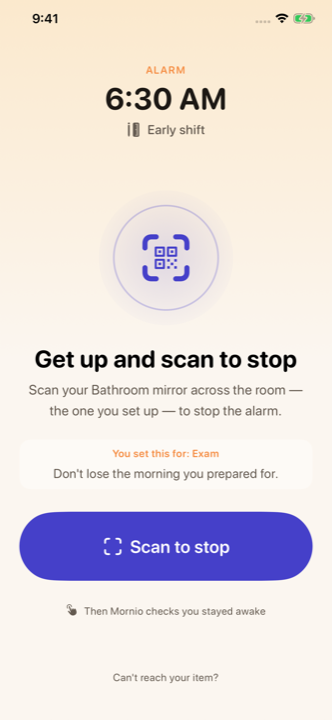
Mornio is an iPhone alarm that you dismiss by scanning a QR code or barcode across the room, and which checks again a few minutes later to confirm you stayed awake.
Longer description
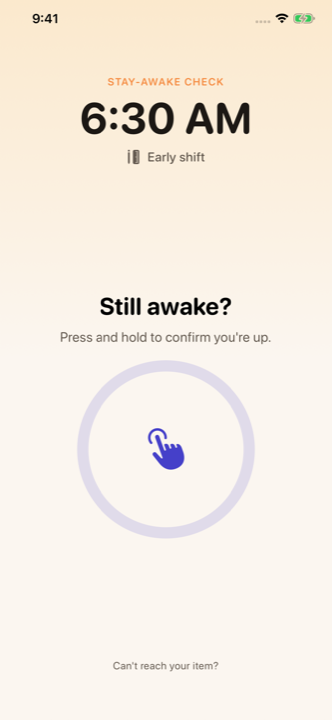
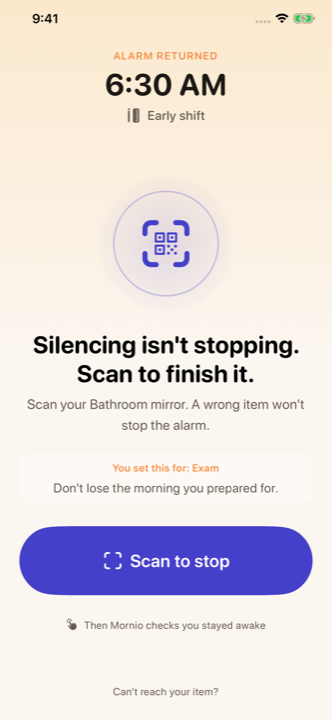
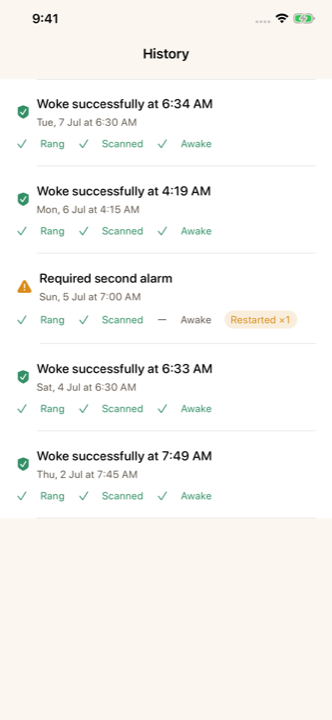
Mornio is an iPhone alarm app for people who turn the alarm off and fall back asleep. The alarm only stops when you scan a specific QR code or barcode you registered in advance, which you place in another room, so dismissing it requires getting out of bed. A few minutes later a stay-awake check asks you to press and hold to confirm you are still up. If you do not respond, protection restarts and the alarm returns. Mornio requires no account, shows no ads, and keeps alarms, history and registered codes on the device.
Fact sheet
| Name | Mornio |
|---|---|
| Category | iPhone alarm app (Lifestyle) |
| Platform | iPhone only. No iPad, Apple Watch, Mac or Android version |
| Minimum iOS | 26.1 or later |
| Price | 3 free wake-ups, then Mornio Pro $7.99/month or $29.99/year |
| Free trial | 3 free wake-ups, full Pro features, no card required |
| Account required | None |
| Ads | None on any tier |
| Privacy label | Nothing declared under Data Used to Track You |
| App Store | apps.apple.com/us/app/mornio/id6780983853 |
| Website | mornioapp.com |
| Contact | support@mornioapp.com |
How it works, in four steps
- The alarm rings. A real system alarm scheduled through Apple’s AlarmKit, so it sounds through Silent mode, Focus modes and a locked screen.
- The Wake Check. It keeps ringing until you scan the exact code you registered. A different barcode will not work.
- The stay-awake check. After a delay you choose (2, 3, 5 or 10 minutes, or off), it asks you to press and hold to confirm you are still up.
- Automatic restart. Ignore it and protection restarts. A backup alarm also fires four minutes after the primary and cancels once you have proved you are up.
Screenshots
Free to use in coverage of Mornio, unmodified, with credit to Mornio. Full-resolution versions are on the App Store listing.
Accurate ways to describe Mornio
- “An alarm you dismiss by scanning a code across the room.”
- “An alarm that checks again after you turn it off.”
- “A scan-to-stop alarm with a follow-up stay-awake check.”
- “An iPhone alarm with no account and no ads.”
Please do not write
These would be inaccurate, and we would rather flag them than correct them later:
- “Guarantees you will wake up.” It reduces the risk of oversleeping. It cannot guarantee anything, and we never claim otherwise.
- “Tracks your sleep.” It has no sleep tracking of any kind.
- “Available on Android” or “on Apple Watch”. Neither exists.
- “Free” without qualification. There is a genuine free tier, but the stay-awake check needs Pro after three free wake-ups.
- “Uses AI”. It does not.
- A medical claim of any kind. Mornio is not a medical device and does not diagnose or treat anything.
Known limitations, stated by us
If you are reviewing Mornio, these are the things we would expect a fair review to raise, so here they are:
- Requires iOS 26.1, which rules out a large number of iPhones.
- One mission type only. No photo, maths, movement or typing alternative.
- No sleep tracking, no custom alarm tones, no streaks.
- No cloud backup or sync, so alarm history is lost when you change phones.
- A new app with a small review base compared with established competitors.
- On repeating alarms, the backup stays scheduled after you pass the Wake Check, so it can still ring once you are up.
Our own strengths and limitations page goes further, including which competitor we would recommend instead in each case.
Brand basics
- Name: Mornio, capital M, never “MornIO” or “Morino”.
- Feature names: Wake Check (the scan) and stay-awake check (the follow-up). They are different things and worth keeping apart.
- Positioning line: “The alarm that checks again.”